It’s fair to say that most businesses shop for a security camera system for business the same way they might shop for a new monitor: pick a brand, pick a resolution, mount it, and move on. It’s also fair to say they probably wonder later why it underperforms.
The problem isn’t the camera; it’s the approach. A camera system is most effective as part of an integrated security stack, not a standalone product bolted to the wall as an afterthought. In this post, we’ll walk through what to look for in business security camera systems, how to evaluate key features, and why integration with access control and alarm monitoring is what separates a truly secure facility from one that just seems secure.
(Already thinking about access control? Check out our recent post on cloud-based access control systems for buildings.)
What a Business Security Camera System Does
At its best, a security camera system for business delivers real-time visibility into what’s happening across your facility, creates a documented record for incident review, and acts as a visible deterrent to would-be intruders.
But deterrence and documentation are only part of the picture. A standalone camera may see everything, but it acts on nothing. When connected to an access control system and alarm monitoring, however, that same camera becomes an active part of your security response: flagging events, verifying credentials, and triggering alerts in real time.
Types of Security Cameras for Commercial Use
Commercial surveillance cameras come in various forms, each suited to different environments and use cases:
- Dome cameras: Low-profile, wide-angle coverage; ideal for lobbies, offices, and retail floors
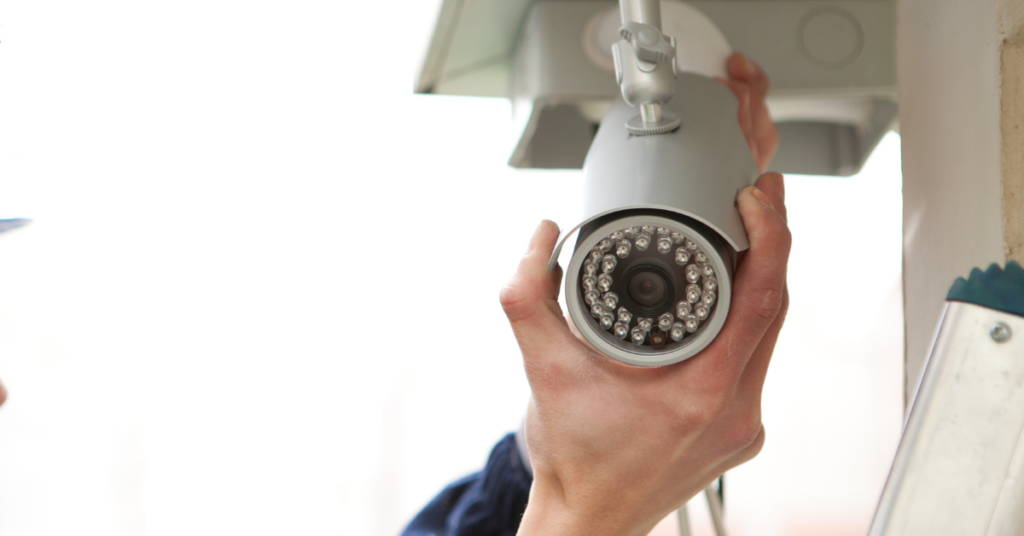
- Bullet cameras: Exterior-facing, highly visible; an effective deterrent at building perimeters and parking areas
- PTZ (pan-tilt-zoom) cameras: Motorized and flexible; best for large, open spaces like warehouses, campuses, and parking lots
- Fixed IP cameras: Precise, high-resolution coverage at specific chokepoints; common in server rooms, access-controlled doorways, and high-security zones
The right camera type for your facility depends on your layout, lighting conditions, and threat profile. Thus, a proper site assessment should always be the driving factor in security camera selection.
Key Features to Evaluate
Not all business security camera systems are built to the same standard. When evaluating options, prioritize:
- Resolution: 1080p is the minimum for facial and license plate identification; 4K is recommended for critical or high-traffic areas
- Night vision / IR capability: Essential for facilities that require 24/7 coverage without relying on ambient lighting
- Remote access: Web and mobile viewing so managers can monitor activity from any location, at any time
- AI analytics: Motion detection, loitering alerts, and crowd detection reduce false alarms and surface suspicious behavior
- Cybersecurity: Encrypted video feeds, regular firmware updates, and layered password protocols are non-negotiable for any network-connected or cloud-integrated system
Wired vs. Wireless: What’s Right for Your Facility
- Wired (PoE): Power over Ethernet delivers reliable, interference-free performance; the preferred choice for permanent commercial and government installations
- Wireless: Easier to deploy and well-suited for temporary setups or locations where running cable is impractical
- Hybrid: Highly useful when upgrading an existing system without a full rip-and-replace; preserves existing infrastructure while adding modern capability
For most commercial facilities, wired PoE systems offer the reliability and bandwidth that a security camera system for business demands over the long term.
Why Camera Systems Work Better as Part of an Integrated Stack
Think of integrated security as a three-layer model:
- Access control: Manages who gets in and where they can go
- Cameras: Provide real-time visibility into what’s happening
- Alarm monitoring: Triggers alerts and coordinates response
Here’s a scenario demonstrating why integration matters. A standalone camera records a suspicious credential attempt at a restricted door. That’s useful, after the fact. An integrated system flags the event in real time, cross-references it with access control data, and immediately alerts your monitoring team. The difference between documentation and prevention comes down to how well your systems talk to each other.
NGSC specializes in exactly this kind of integrated architecture: designing systems where commercial surveillance cameras, access control, alarm monitoring, and life safety systems operate as a unified whole. (For more on how access control and life safety systems fit into this stack, see our recent posts on each.)
Professional Installation vs. Retail/DIY
Can you buy a camera system from a big-box retailer or online marketplace? Sure. Should you do so for a commercial or government facility? Almost certainly not.
Here’s the practical difference:
- Site assessment: A professional integrator maps your facility to eliminate blind spots before a single camera is mounted; a retail kit doesn’t
- Camera placement strategy: Coverage isn’t just about quantity; angle, height, and field of view determine whether footage is actually usable
- Network security configuration: Improperly configured IP cameras are a cybersecurity liability, not just a physical security asset
- System commissioning and support: Retail systems are designed for general residential use; commercial and government facilities have specific coverage, compliance, and integration requirements that demand professional expertise
How to Choose the Right Security Camera System for Your Business
When evaluating a security camera system for business, consider:
- Facility size: The number of entry points, square footage, and campus layout drive system complexity.
- User and access volume: High-traffic facilities need higher camera density and smarter analytics to filter noise from threats.
- Remote management needs: If your security team monitors multiple locations, remote access and centralized management are essential.
- Integration requirements: Will the system need to connect with access control, alarms, or life safety? Plan for integration from day one, not as an afterthought.
- Future scalability: Your camera system should grow with your facility, not require wholesale replacement in three years.
Cameras Are a Component, Not a Complete Solution
A well-chosen security camera system for business provides real-time visibility, incident documentation, and deterrence. But it performs best as part of a layered, integrated security strategy, working in concert with access control, alarm monitoring, and life safety systems.
That’s the approach Next Generation Security Concepts (NGSC) brings to every project. As a full-service security integrator serving businesses, government agencies, and institutions, we design business security camera systems built around your facility, threat environment, and long-term needs.
Ready to see what a fully integrated security system could look like for your facility? Contact NGSC today for a free security assessment. Our team will evaluate your current setup, identify coverage gaps, and design a comprehensive solution that works.